Audience: Company, Requesters
Requester Notifications
Reimbi sends out notifications letting Requesters know when:
- Expense reports have been approved or rejected
- Payouts have been issued
- Reminders for payouts and expense reports that need attention
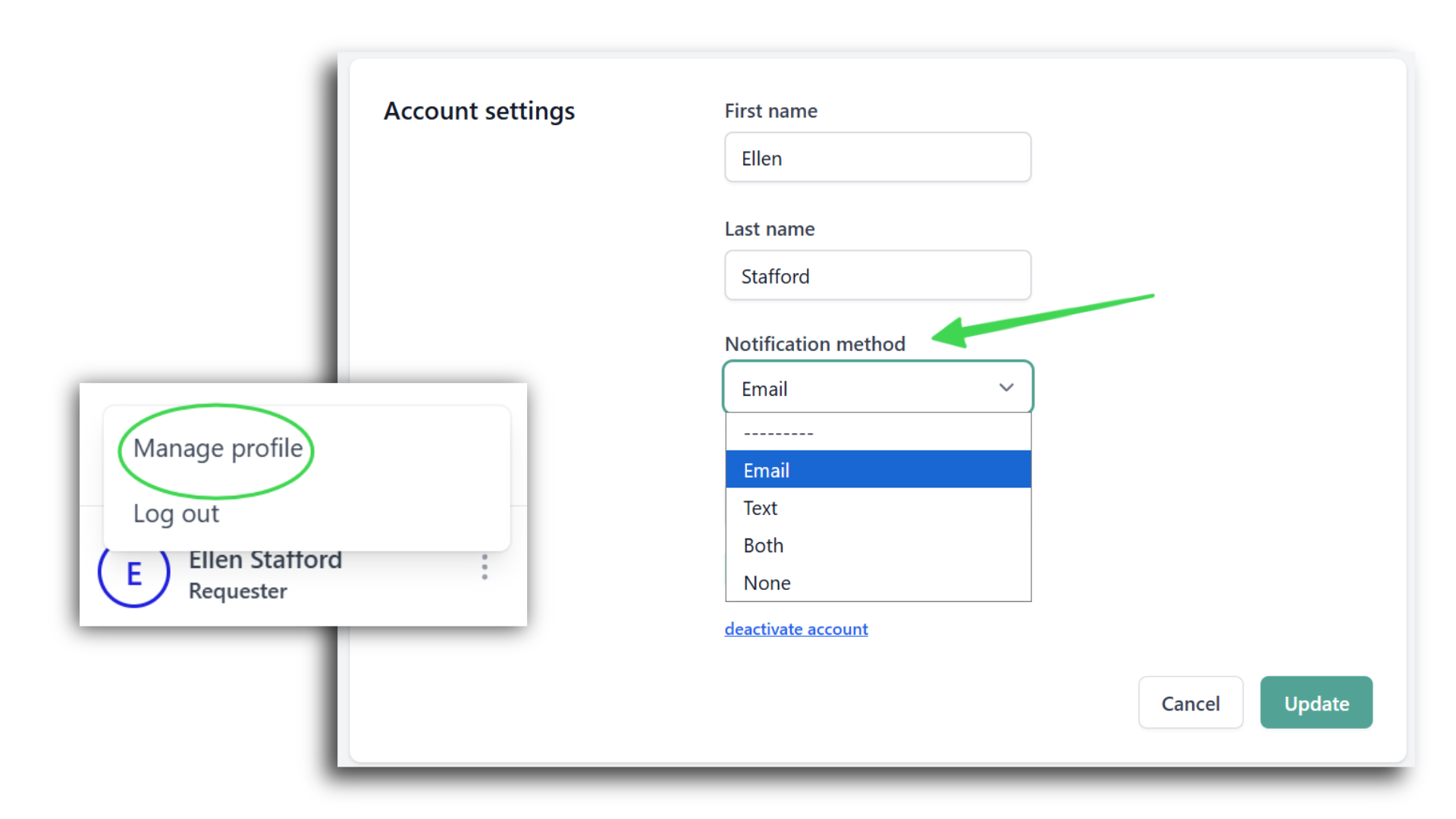
Requesters can choose to receive these notifications via Email, text (SMS) or both. Requester can also choose to opt out of all notifications by selection None. After your initial selection you can always update your notification preferences by going to your user profile. This can be done by clicking the menu icon next to your name in the app or by going directly to https://app.reimbi.com/users/~update/.
Staff User Notifications
Reimbi sends notifications letting Staff Users know when:
- Expense reports are pending approval
- Invitations were undeliverable
- Other transaction related communication
Staff Users will always receive notifications via email.
Was this article helpful?
That’s Great!
Thank you for your feedback
Sorry! We couldn't be helpful
Thank you for your feedback
Feedback sent
We appreciate your effort and will try to fix the article